Client
Elinext built a process automation system that has helped its coworkers collaborate more consistently and efficiently.
Challenge
Elinext has been steadily growing over the past 10 years. At some point, we realized we could no longer keep managing our processes the old way. We needed a new system that would allow us to store, study and improve process flows.
Process
Our project team used the methodology Elinext has mastered over the past decades: Agile. We worked in two-week sprints, and this approach proved itself indispensable. It helped us adjust as new functional requirements popped up during the development.
Agile methodology implies building a minimum viable product (MVP). Our MVP features included the essential operations in the system. Once the MVP was built, we moved toward developing the advanced product version. Along the way, we ran functional, regression and usability tests.
Product
The application is centered around six elements: Templates, Processes, Steps, Roles, Groups and Notifications.
Templates
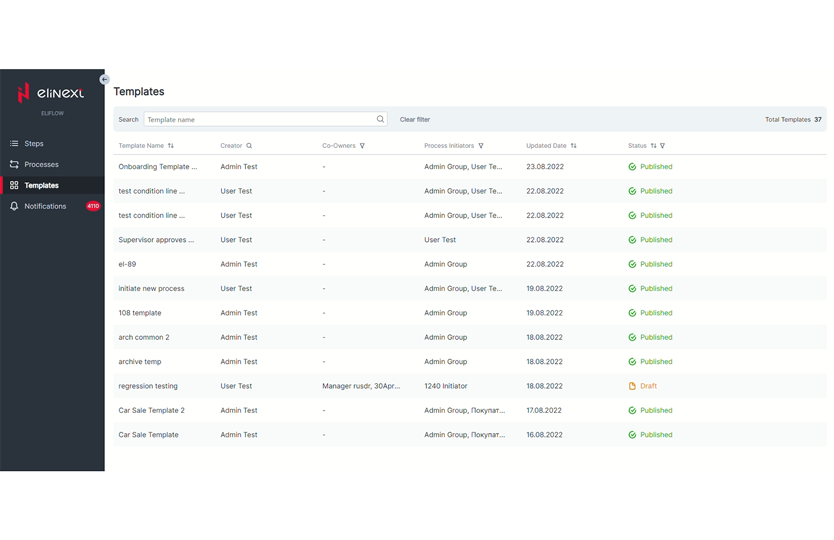
Users can access all Templates from one page. Every Template comes with the following details:
- Template name
- Creator
- Co-owners
- Process initiators
- Last revision date
- Status (Draft, Published, etc.)
A user with sufficient access rights can create a new template, either from scratch or based on another one. This is usually done to describe a process as a sequence of steps that is consistent with other processes. Users can also manage Templates, make them unavailable and initiate Processes.
Processes
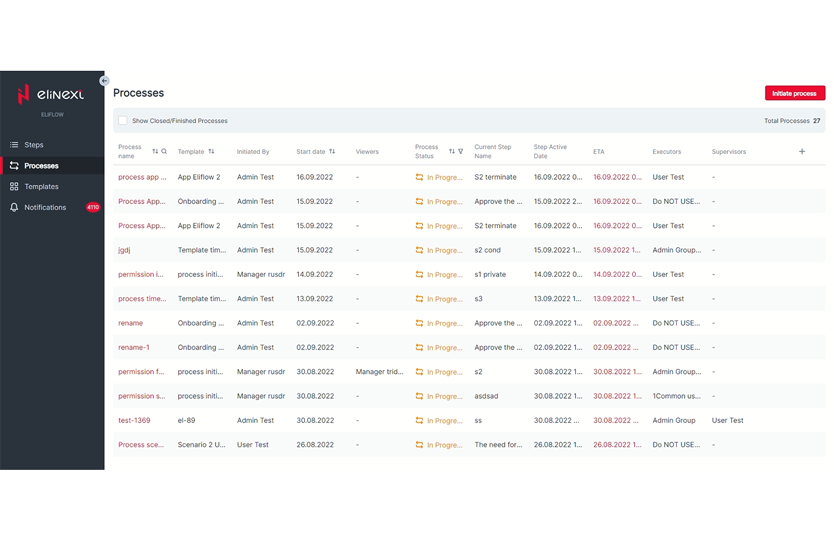
Just like with templates, users can view and manage all Processes on one page. We enabled the following details for each Process:
- Process name
- Start date
- Process viewers
- Process status
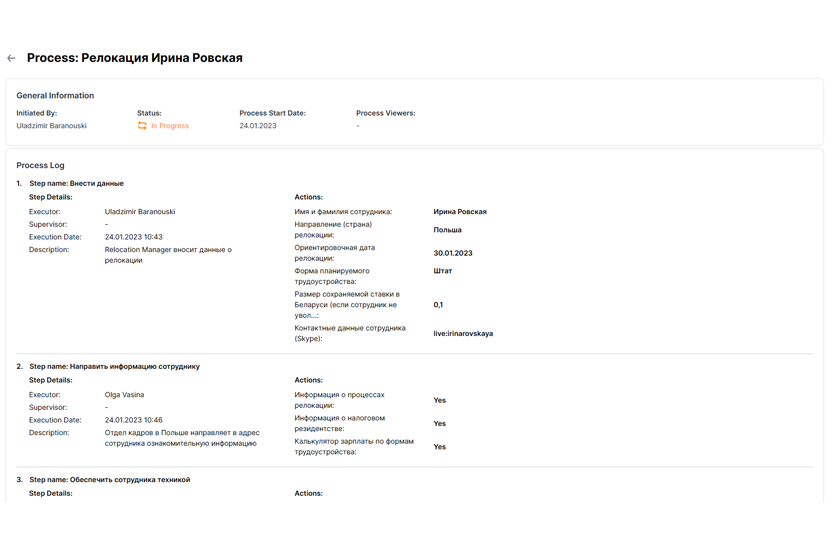
Permissioned users go to this page to initiate, manage and monitor Processes. A Process Initiator can edit its details, put it on hold, complete or close it. For greater transparency, they can view Process logs at each step in detail.
Steps
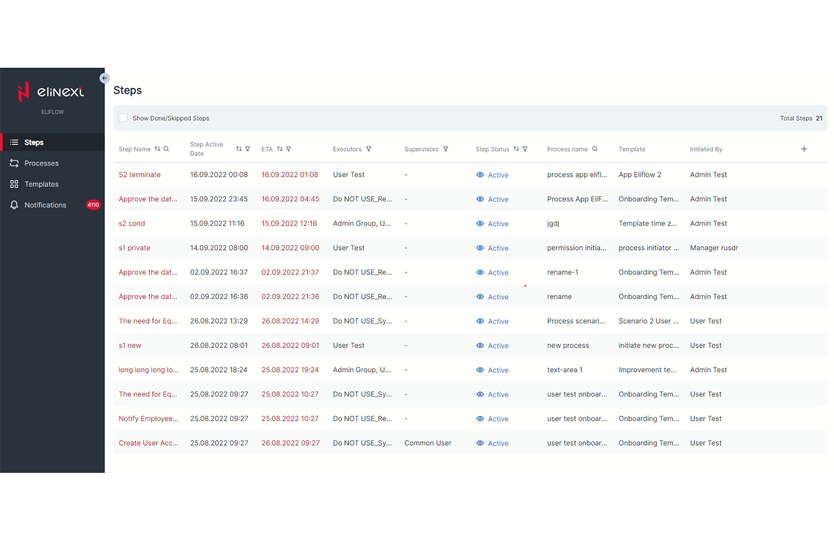
Steps are also all aggregated on one page. Each of them features the following details:
- Step name
- Step activation date
- Due date
- Description
- Executor
- Supervisor
- Step status
Permissioned users can perform a step and view details about it on a diagram from this page. But they can also set Steps up in Templates and manage them as part of Processes.
Setting Up Steps In Templates
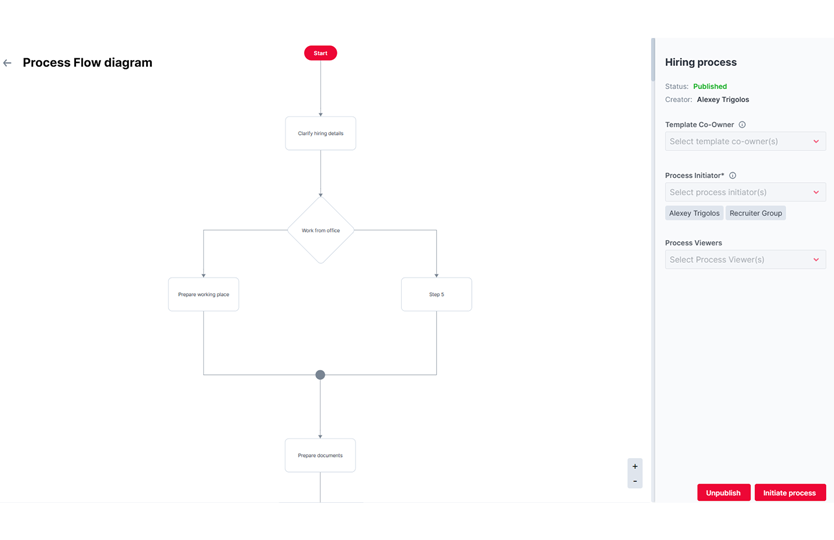
A user can open a Template and create Steps inside of it to describe different activities within a repetitive business process. These Steps could be single, conditional or parallel. Elinext’s process automation work spans CRM, ERP, and document processing app development — a solution built to digitise paper-heavy back-office workflows by extracting key fields from PDFs and routing them to the right teams automatically.
The following details can be edited:
- Step name
- Description
- The Executor
- The Supervisor
- Step duration
- Actions (what the Executor should do to complete the Step)
- Options (for conditional Steps)
Managing Steps In Processes
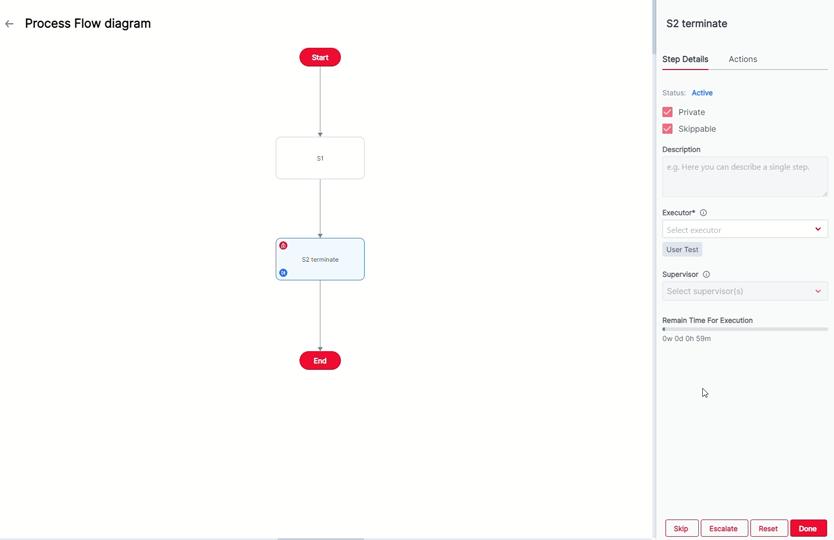
Processes include Steps from Templates, and Executors can manage these Steps throughout each Process. Here’s what they can do:
- Assign an Executor to a Step
- Mark a Step as Done to push the Process forward
- Escalate a Step (postpone the Step execution for some reason)
- Unpause a Step (continue the Step execution after escalation)
- Skip a Step when it is not mandatory
- Approve a Step (if it needs the Supervisor’s approval)
Groups
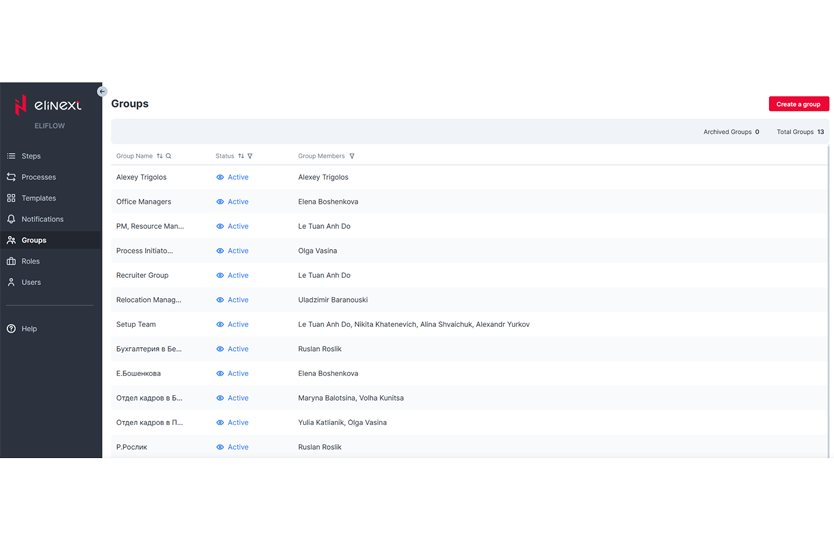
A Group represents a set of users that can be assigned different roles. All Groups are featured on the same page with details like a group name, its status and members. Users with relevant access can create, view, archive/unarchive and delete Groups.
Roles
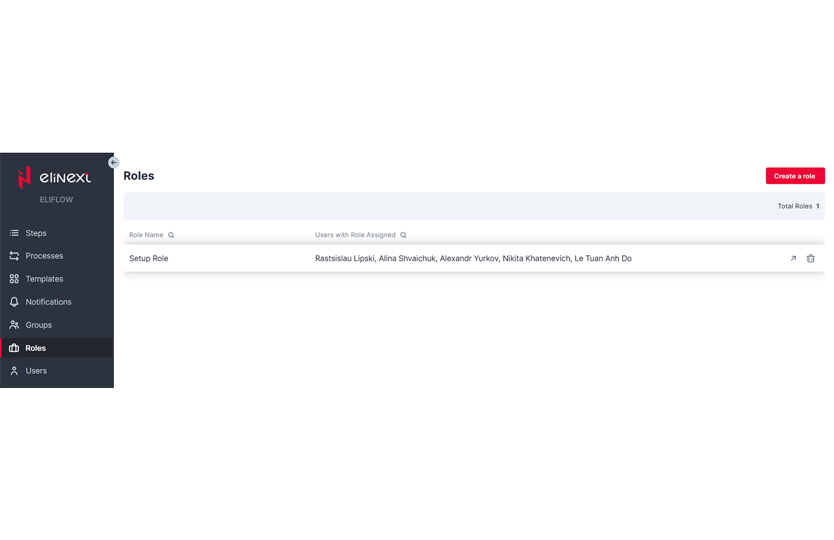
A user can be assigned a Role: Process Initiator, Process Viewer or Step Executor. Each of the Roles comes with its set of permissions for actions with Templates, Processes, Steps, Groups and Roles.
Users with sufficient access can create, view, assign and delete Roles on the respective page.
Notifications
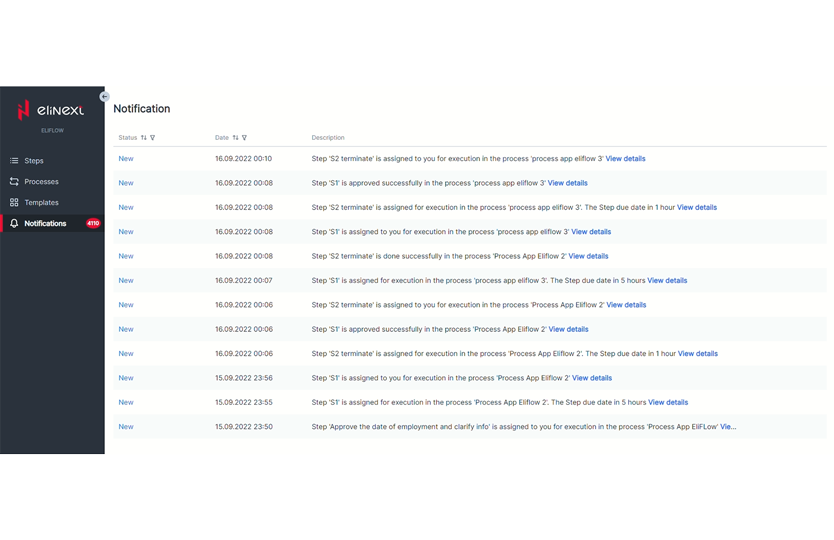
Notifications are an essential part of the system, allowing coworkers to stay updated on tasks. We enabled two types: in-app and Email Notifications.
Users with relevant permissions can view and manage Notifications’ statuses, dates and descriptions from the Notifications page.
Results
The application we built has helped Elinext take communications on processes to a new level. Coworkers can now stay up to date on collaborative tasks without much hassle and easily reproduce repetitive processes.
Building a system for a diversified organization like Elinext — with offices in Poland, Uzbekistan and Vietnam — involved collaboration with multiple stakeholders. So, we had to learn to present the practical impact of our work in a way that brought it home for each of them. Elinext’s portfolio of proprietary tools includes an elinext CRM development — built to standardise how the company manages client relationships, from initial lead capture through contract renewal and upsell tracking.
At present, Elinext continues to adopt the system across different departments and locations. And it’s already saving employees’ time and improving delivery.